GView architecture
Architecture flow
Content type — Determine whether the content is binary or textual. For text, detect encoding and decode to a standardized format (e.g. UTF-16).
Plugin selection — Search available data identifier (Type) plugins for one that can interpret the data. If none matches, fall back to a generic plugin that only distinguishes binary vs. text.
Viewers and extraction — The chosen Type plugin selects suitable smart viewers. Users can switch viewers and use them to extract artifacts or data from the content.
Iteration — Repeat steps 1–3 for extracted components, using artifacts from previous steps to drive further analysis.
Directory structure
GView/
├── AppCUI/              # UI framework (subproject, separate repo)
├── GViewCore/           # Core library
│   ├── include/
│   │   └── GView.hpp    # Public API for plugins
│   └── src/
│       ├── include/Internal.hpp
│       ├── App/         # Application logic, dialogs
│       ├── View/        # Smart viewers (Buffer, Text, Lexical, Image, Grid, Dissasm, Container)
│       ├── Utils/       # DataCache, ZonesList, ErrorList, etc.
│       ├── Hashes/      # Hash implementations
│       ├── Decoding/    # Base64, ZLIB, etc.
│       ├── DigitalSignature/
│       ├── Dissasembly/ # Capstone wrapper
│       ├── Security/    # Restricted mode, crypto
│       └── Type/        # Plugin loading and type matching
├── GView/               # Main executable
├── Types/               # Type plugins (PE, ELF, MACHO, PDF, PCAP, ZIP, CSV, etc.)
├── GenericPlugins/      # Generic plugins (Hashes, EntropyVisualizer, Dropper, SyncCompare, Unpacker, etc.)
├── cmake/
├── docs/
└── build/ / bin/
Code structure
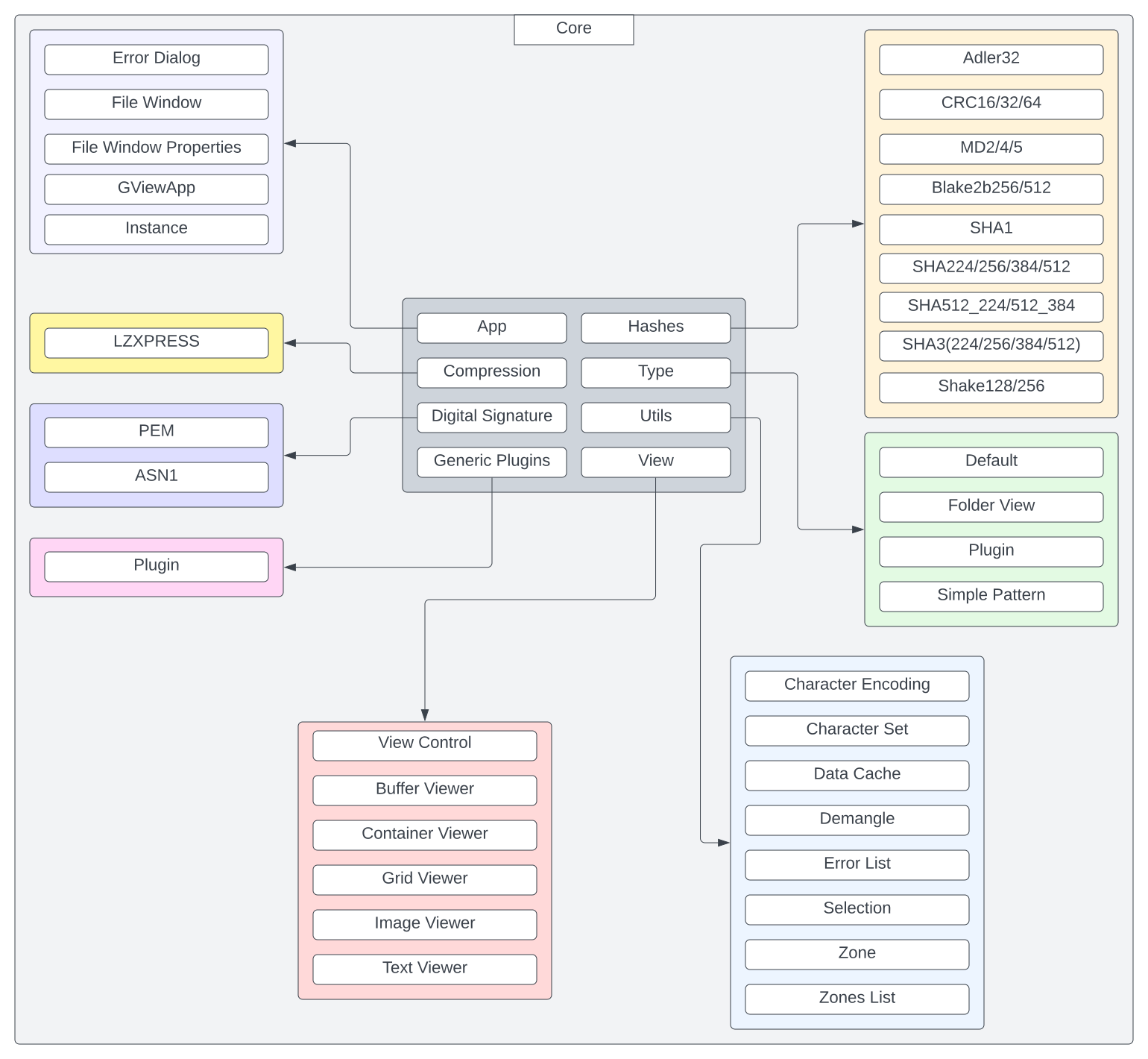
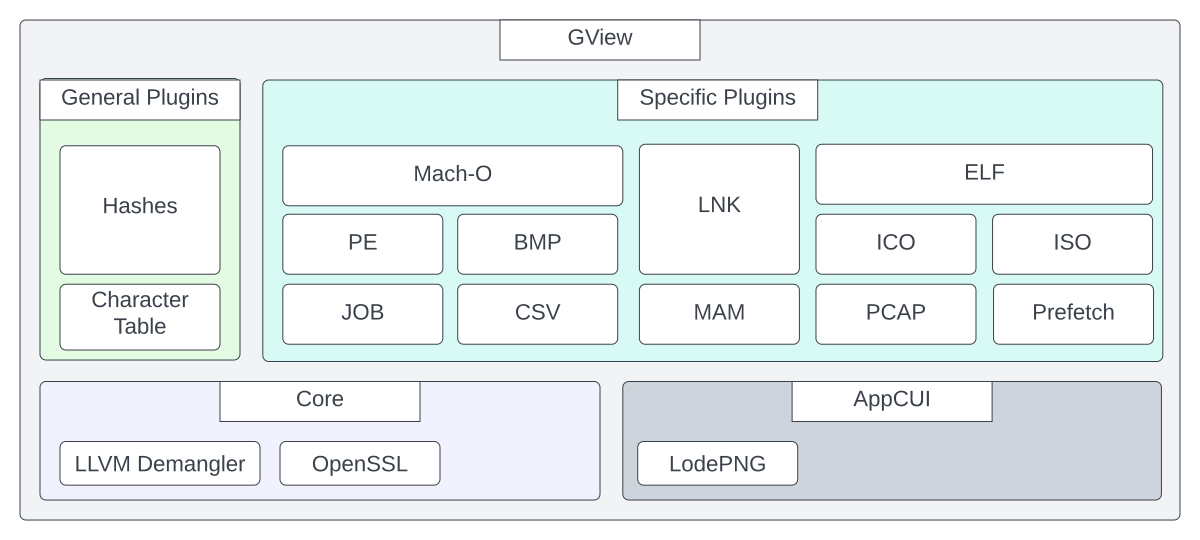
GViewCore — Core library: application logic, smart viewers, hashes, decoding, digital signatures, disassembly, plugin loading. Plugins use only
GView.hpp.GView — Main executable.
Types/ — Type-specific plugins (PE, ELF, Mach-O, PDF, PCAP, ZIP, CSV, INI, JS, etc.).
GenericPlugins/ — Generic plugins (Hashes, EntropyVisualizer, Dropper, SyncCompare, Unpacker, CharacterTable, FileDownloader).
AppCUI — Terminal UI framework (subproject).
Diagrams
High-level architecture:
Core (GViewCore) architecture: