HyperLink
Represents a clickable text control that points to a URL and can trigger an action when activated:
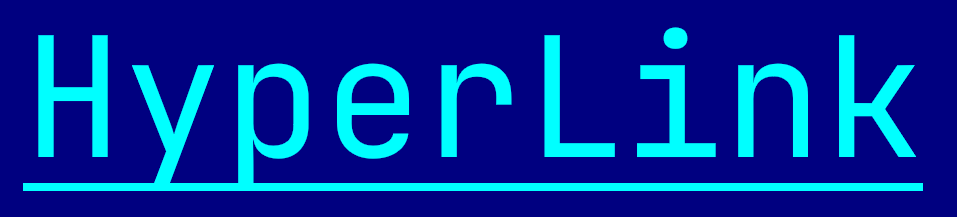
To create a hyperlink use one of the following methods:
HyperLink::new(with 3 parameters: a name, a url and a layout)HyperLink::with_url(with 2 parameters: a url and a layout - the url itself will be displayed)HyperLink::with_tooltip(with 4 parameters: a name, a url, a tooltip and a layout)
let h1 = HyperLink::new("AppCUI-rs", "https://github.com/gdt050579/AppCUI-rs", layout!("x:1,y:1,w:10"));
let h2 = HyperLink::with_url("https://github.com/gdt050579/AppCUI-rs", layout!("x:1,y:1,w:40"));
let h3 = HyperLink::with_tooltip("AppCUI-rs", "https://github.com/gdt050579/AppCUI-rs", "A cross-platform TUI framework for Rust", layout!("x:1,y:1,w:10"));
or the macro hyperlink!
let h1 = hyperlink!("name=AppCUI-rs,url='https://github.com/gdt050579/AppCUI-rs',x:1,y:1,w:10");
let h2 = hyperlink!("'AppCUI-rs',url='https://github.com/gdt050579/AppCUI-rs',x:1,y:1,w:10");
The displayed text of a hyperlink is given by its name. If the name is empty, the hyperlink will display its url instead. The url is the only required attribute.
A hyperlink supports all common parameters (as they are described in Instantiate via Macros section). Besides them, the following named parameters are also accepted:
| Parameter name | Type | Positional parameter | Purpose |
|---|---|---|---|
name or text | String | Yes (first positional parameter) | The text displayed by the hyperlink |
url or link | String | No | The url the hyperlink points to (required) |
tooltip | String | No | The text shown when the mouse hovers over the hyperlink |
Some examples that use these parameters:
let disabled_link = hyperlink!("'AppCUI-rs',url='https://github.com/gdt050579/AppCUI-rs',x:1,y:1,w:10,enabled=false");
let hidden_link = hyperlink!("text='AppCUI-rs',url='https://github.com/gdt050579/AppCUI-rs',x:1,y:1,w:10,visible=false");
let link_with_tooltip = hyperlink!("'AppCUI-rs',link='https://github.com/gdt050579/AppCUI-rs',tooltip='A cross-platform TUI framework for Rust',x:1,y:1,w:10");
Events
To intercept events from a hyperlink, the following trait has to be implemented to the Window that processes the event loop:
pub trait HyperLinkEvents {
    fn on_open(&mut self, handle: Handle<HyperLink>) -> EventProcessStatus {...}
}
Methods
Besides the Common methods for all Controls a hyperlink also has the following additional methods:
| Method | Purpose |
|---|---|
set_url(...) | Sets the url associated with the hyperlink. The displayed text is not affected, unless no name was set (in which case the url itself is shown). |
url() | Returns the current url of the hyperlink. |
set_name(...) | Sets the text displayed by the hyperlink. If set to an empty string, the url itself will be displayed instead. |
name() | Returns the text explicitly set for the hyperlink or an empty string if none was set. |
set_tooltip(...) | Sets the tooltip shown when the mouse hovers over the hyperlink. |
tooltip() | Returns the current tooltip of the hyperlink or an empty string if none was set. |
Key association
The following keys are processed by a HyperLink control if it has focus:
| Key | Purpose |
|---|---|
Enter | Opens the hyperlink and emits HyperLinkEvents::on_open(...) event. It has the same action as clicking the hyperlink with the mouse. |
Example
The following code creates a window with a hyperlink. When the hyperlink is activated (via mouse click or by pressing Enter while focused), the associated url is captured and can be handled (for example, opened in a browser).
use appcui::prelude::*;

#[Window(events = HyperLinkEvents)]
struct MyWin {
    link: Handle<HyperLink>,
}

impl MyWin {
    fn new() -> Self {
        let mut win = MyWin {
            base: Window::new("My Win", layout!("a:c,w:40,h:6"), window::Flags::None),
            link: Handle::None,
        };
        win.link = win.add(HyperLink::with_tooltip(
            "AppCUI-rs",
            "https://github.com/gdt050579/AppCUI-rs",
            "A cross-platform TUI framework for Rust",
            layout!("x:1,y:1,w:10"),
        ));
        win
    }
}

impl HyperLinkEvents for MyWin {
    fn on_open(&mut self, handle: Handle<HyperLink>) -> EventProcessStatus {
        if handle == self.link {
            // the hyperlink was activated - the url can be read and handled here
            if let Some(link) = self.control(handle) {
                let _url = link.url();
                // ... open the url in a browser, navigate, etc.
            }
            return EventProcessStatus::Processed;
        }
        EventProcessStatus::Ignored
    }
}

fn main() -> Result<(), appcui::system::Error> {
    App::new().window(MyWin::new).run()
}